
Korea Travel Essentials Series
Before you arrive, there are a few Korea travel apps you should install first — especially if you plan to use maps, taxis, subways, restaurants, or translation in daily situations.
These are the apps you actually need in Korea — not the ones you think you need.
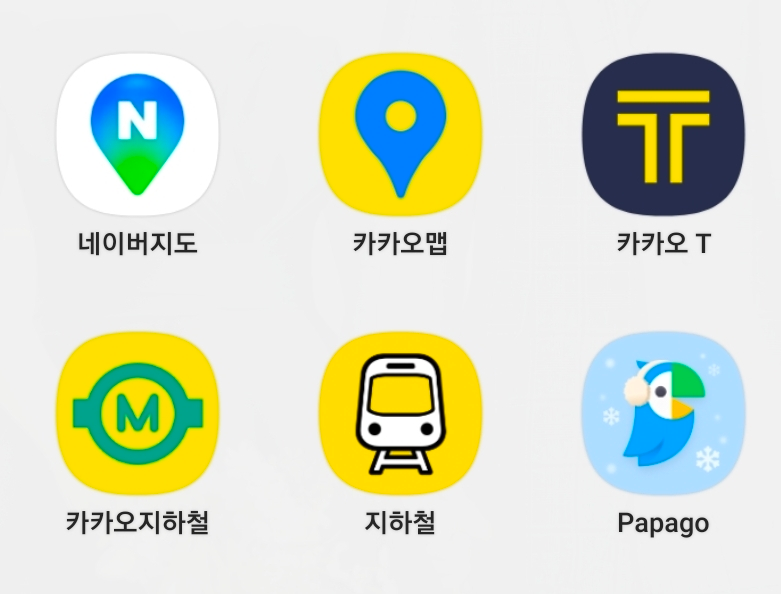
Many travelers arrive in Korea with the same setup.
Google Maps, Google Translate, maybe Uber.
And to be clear — all of these apps do work in Korea.
You can still use them.
But the real question is not whether they work.
The real question is this:
Are they the best tools for traveling in Korea?The answer is no.
Local Koreans use completely different apps.
And those apps are used by almost everyone.
If you want a smoother trip, fewer mistakes, and more accurate information,
you should follow what locals actually use.
Korea moves fast. Information updates quickly.
If you rely on the wrong apps, you will always be one step behind.
Why Google Maps Doesn’t Work Well in Korea
This part is important.
There is a reason Why Google Maps Still Feels Limited in Korea.
Korea has military-sensitive areas.
Because of this, the Korean government does not fully provide map data to Google.
As a result:
- Map details are limited
- Directions can be inaccurate
- Some locations are missing or outdated
This is not a technical issue. It is a data restriction issue.
That’s why using local Korean apps is not optional — it’s necessary.
🗺 Naver Map (네이버 지도) — This is mandatory
Naver Map is not just a recommendation.
It is essential.
This is the app that almost every Korean uses daily.
And once you use it, you will understand why.
What makes it different
Naver Map is not only for finding directions.
It has a full navigation system for:
- Walking
- Public transportation
- Driving
When you use public transport or walking routes:
- It tells you exactly where to go
- Alerts you when to get off
- Helps you avoid missing stops
This is extremely useful for travelers.
You are much less likely to get lost.
Language advantage
Naver Map provides both:
- English names
- Korean names
This makes a huge difference.
If you need help, you can show the Korean name to locals.
Communication becomes much easier.
Reservation system (very important)
Naver Map is also connected to many restaurants.
If a place is partnered with Naver:
- You can make reservations directly
- Check availability
- See detailed store information
This is something many travelers don’t expect from a map app.
Real tip (very important)
When asking for directions in Korea:
Do NOT show the address.
Instead:
- Show the place name (hotel, restaurant, etc.)
- Ask how to get there
Korea uses two different address systems.
Even Koreans often cannot recognize an address instantly unless they search it.
Also, unlike some countries, people do not commonly communicate using street names.
Place names work much better.
🗺 KakaoMap (카카오맵)
KakaoMap is also widely used in Korea.
Not as dominant as Naver Map, but still very important.
Why Koreans use KakaoMap
Naver Map is quite commercial.
Because of that, some users feel the ratings are not always reliable.
So what do Koreans do?
They check KakaoMap.
Key difference
- KakaoMap ratings are often stricter
- Average scores tend to be lower
- Reviews feel more honest
Because of this:
Many Koreans use both apps together.
- Naver Map → navigation
- KakaoMap → review checking
🚕 Kakao T (카카오 T)
Kakao T is Korea’s main taxi-hailing app.
Think of it as the local app most Koreans use instead of relying only on Uber.
What you can do
- Call a taxi
- Set destination
- Pay automatically
Once you register your card:
Everything from booking to payment is handled in one process.
Kakao Blue (important option)
Kakao T also has a service called Kakao Blue.
- Slightly more expensive
- Better vehicle condition
- More professional drivers
If you want a more comfortable experience, it’s worth using.
Additional features
- You can book a van for groups
- Useful when you have luggage
- Works nationwide (not just Seoul)
Even in smaller cities or rural areas, Kakao T is still usable.
🚇 Subway Apps (Kakao Metro / Subway Korea)
There are two main apps:
- Kakao Metro
- Subway Korea
There is no major difference.
Use whichever you prefer.
Why this matters
Seoul and the surrounding metropolitan area have one of the busiest subway systems in the world.
A large portion of the population relies on it daily.
Key advantage
- Easy route search
- Clear transfer instructions
- Simple navigation
Subway and bus systems are also connected through a transfer system.
So once you understand this, moving around becomes very efficient.
🌐 Papago (파파고)
Papago is a real-time translation app developed by Naver.
And Naver is one of the biggest tech companies in Korea.
About Naver
Naver is part of Korea’s major IT ecosystem, alongside companies like:
- Kakao
- Line
- Coupang
- Baemin (Baedal Minjok)
Why Papago is better for Korean
Among translation apps:
Papago is widely considered the most natural for Korean.
Especially compared to Google Translate.
What it can do
- Text translation
- Voice translation
- Image translation (menus, signs)
For travelers, this is extremely useful in daily situations.
💡 What you actually need
You don’t need everything.
This setup is enough:
- Naver Map → navigation
- Kakao T → transportation
- Papago → translation
Add a subway app if you plan to travel frequently.
That’s all you need for Part 1.
Next
Next guide: Food & Payment Apps You Must Use in Korea
Travel Korea, made simple.
Your first friend in Korea.